12/26/2025
Saved workspaces
Create, manage, and use tag-based workspaces to switch focus without reorganizing your work.
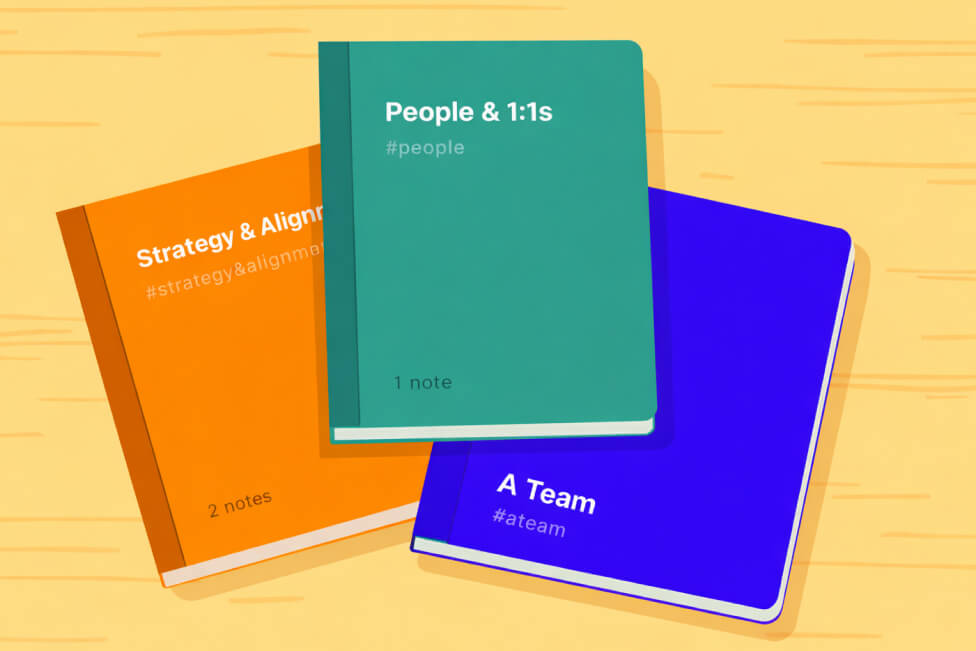
Saved Workspaces, let you group related tasks and notes using tags and people mentions.
A workspace is not a folder and it does not move your items.
It is a saved view that filters your board based on rules you define.
This allows you to:
- switch context quickly
- reduce cognitive load
- keep one source of truth for your work
- avoid duplicating or restructuring items
What is a workspace?
A workspace is a saved combination of:
- one or more #tags
- optional @person mentions
When you open a workspace, the board shows only items that match those filters.
Your data stays exactly where it is.
Only the view changes.
Creating a workspace
You can create a workspace from anywhere you can filter the board.
Steps
- Apply one or more tag or person filters
- Choose Save workspace
- Give the workspace a name
- Optionally choose a color
- Save
The workspace is now available in your workspace list and notebook grid.
Editing a workspace
You can update a workspace at any time.
You can change:
- the name
- the color
- the included tags
- the included people mentions
Edits take effect immediately and do not affect your underlying tasks or notes.
Deleting a workspace
Deleting a workspace:
- removes the saved view
- does not delete any tasks or notes
- does not remove tags from items
You can safely delete workspaces without losing information.
Using workspaces
When you open a workspace:
- the board updates to show only matching items
- filters are applied automatically
- navigation stays intact
You can still:
- open item details
- edit content
- add or remove tags
- review active work
Workspaces help you stay in one context while still working normally.
Workspace examples
Common workspace patterns:
- #strategy
- @alex + #review
- #deepwork
There is no limit to how simple or specific a workspace can be.
Best practices
- Create workspaces for contexts, not projects
- Use fewer workspaces and reuse them often
- Let tags describe reality, not intent
- Avoid creating workspaces for one-off items
Workspaces work best when they reflect how you think, not how you plan.
You’re ready to go. Capture first. Organize later. Stay focused.